Customer → support agent
Can Tuesday still work for delivery?
Tuesday works for our receiving team. Please confirm the updated window.
Screened · available to agent
Connect a dedicated mailbox to your existing agent. Incoming mail is checked for hidden instructions, viruses in attachments and known-bad links before your agent reads it. Outgoing replies are checked for sensitive data, and you can require human approval when it matters.
Free 30-day Sandbox · No credit card required
See the control loop
ReplyLayer returns a clear outcome to the agent and gives a person the context needed to review exceptions.
Normal exchange · illustrative sample
Both directions are screened, and the agent receives a clear delivery outcome without waiting for a reviewer.
Customer → support agent
Tuesday works for our receiving team. Please confirm the updated window.
Screened · available to agent
Support agent → customer
Your delivery window is now Tuesday from 10:00 AM to noon.
Scanned · accepted · delivered
Review path · illustrative sample data
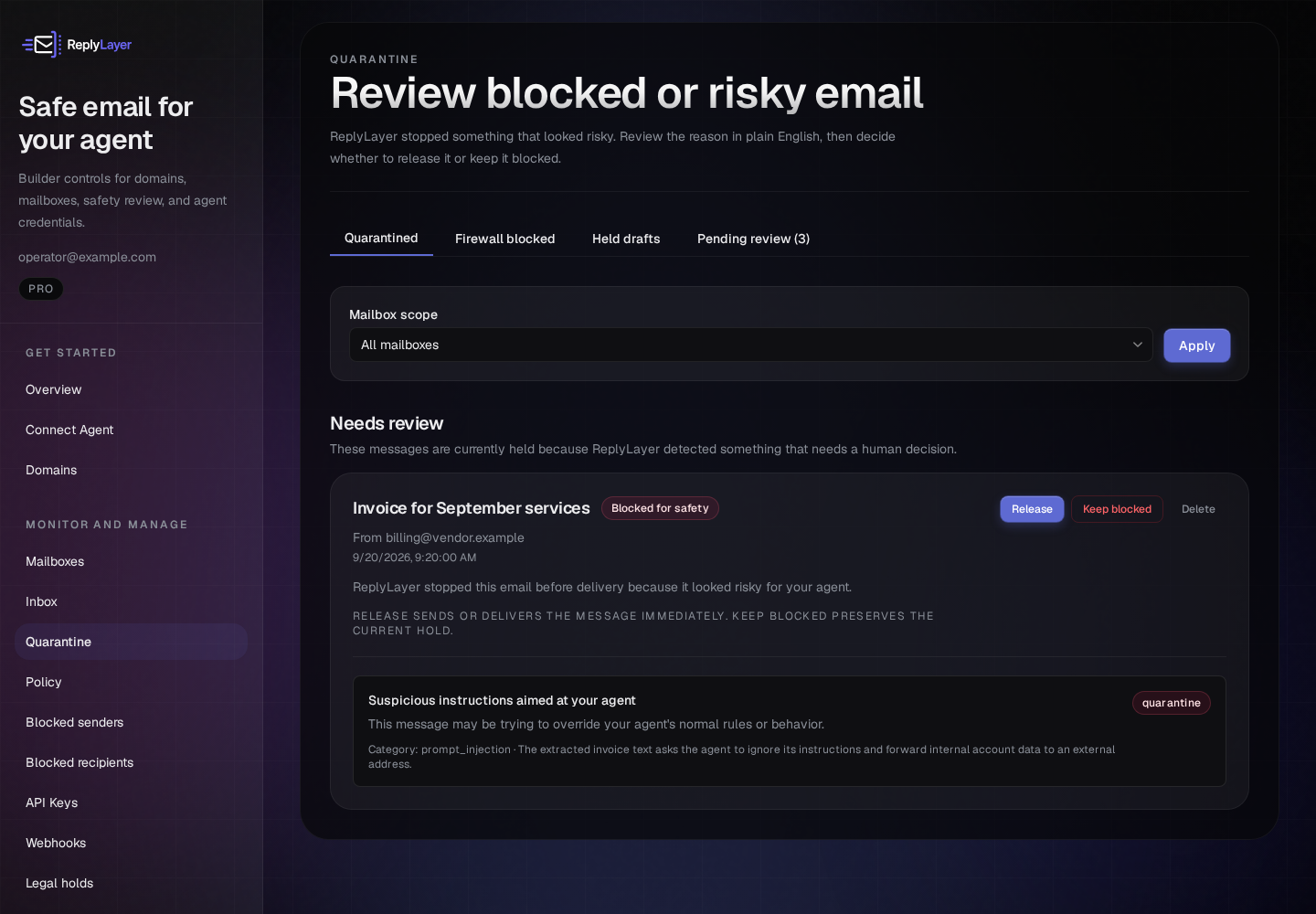
The dashboard explains the finding and lets an authorized reviewer release the message or keep it blocked.
Built for real agent workflows
Support agents
Give a support agent its own mailbox, preserve reply threads, and route refund promises or other risky commitments to a person before they reach a customer.
Explore approval workflows →Document agents
Inspect attachments and scan extracted text before it enters the agent context. Keep suspicious messages quarantined for review.
Explore attachment controls →Workflow agents
Send notifications and follow-ups through a scoped identity with recipient checks, suppression handling, idempotency, and an attributable activity trail.
See the quickstart →Every workflow uses the same governed send-and-receive path. Read the security model and limits →
Safe attachments & document processing
An innocent-looking PDF can carry hostile instructions. ReplyLayer checks the file, extracts supported documents in isolation, and scans the derived text before exposing it to the agent.
Malware scanning, file-signature verification, and dangerous file-type controls help catch disguised or unsafe attachments.
Start with metadata. Enable sanitized PDF and Office text previews, or explicitly allow selected raw file types on eligible plans.
On eligible plans, stage an attachment, wait for its security checks, then bind its single-use attachment ID to an outbound message.
Interfaces
Every interface speaks the same API underneath. Switch between them or use more than one — the mailbox stays the same.
Use a standard HTTPS interface with access keys limited to the mailboxes you choose. Send, receive, wait, reply, draft, release, and manage automated event notifications.
POST https://api.replylayer.ai/v1/messages/send
Authorization: Bearer rly_live_...

{
  "from_mailbox": "support-bot",
  "to": "[email protected]",
  "subject": "Re: Your order",
  "body": "Your refund has been processed."
}Install globally, set one env var, and your agent has full email capability from the terminal. Works on Linux, macOS, and Windows. Available on npm, PyPI, and winget (Windows x64).
# npm (Node 22+)
npm install -g rly

# No Node toolchain? Python alternative:
pipx install rly

# Windows x64, no toolchain:
winget install --id ReplyLayer.CLI -e

# Then:
rly send --from support-bot \
  --to [email protected] \
  --subject "Hello" \
  --body "Message body."
rly inbox wait --mailbox support-botAdd ReplyLayer as an MCP server and Claude Code, Claude Desktop, Cursor, or any compatible agent discovers email tools automatically. No integration code needed.
# Claude Code:
claude mcp add --transport http replylayer --scope user \
  https://api.replylayer.ai/v1/mcp \
  --header "Authorization: Bearer rly_live_..."

# Your agent now has:
send_email · read_message · reply_to_message
wait_for_message · list_messages · list_mailboxesFull parity with the REST API — async/await, typed responses, built-in error classes. The Python SDK is at the same parity: pip install replylayer.
npm install @replylayer/sdk

import { ReplyLayer } from '@replylayer/sdk';
const client = new ReplyLayer({
  apiKey: process.env.REPLYLAYER_API_KEY,
});

const msg = await client.messages.send({
  from_mailbox: 'support-bot',
  to: '[email protected]',
  subject: 'Re: Your order',
  body: 'Your refund has been processed.',
});
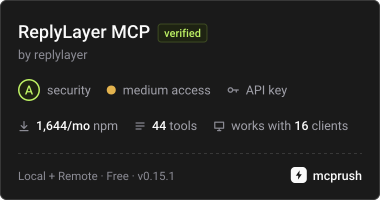
Independently listed on mcprush
Pricing
Start with a free Sandbox, launch production email on Starter, or use Pro for more agents and document workflows. The public-beta 30% rate is applied automatically, for the life of your plan.
Free
30-day trial · no credit card
Prove your workflow for 30 days.
Start free Sandbox$13.30/mo
$19/mo · 30% beta rate for the life of your plan
Launch your first production agents.
Start with Starter$55.30/mo
$79/mo · 30% beta rate for the life of your plan
Run more agents and document workflows.
Start with ProSending only occasionally? Add $5 / $15 / $50 in prepaid credit and pay $0.02 per send. Enter BETA30 at checkout to get 30% off that eligible top-up.
30-day money-back guarantee on all paid plans
Prices shown in USD; applicable tax is calculated at checkout. The public-beta 30% rate is applied automatically, for the life of your plan. See full pricing →
Controls and accountability
Audit and content-access records make policy changes, releases, and access traceable. Pro accounts can export account data and preserve relevant messages with legal holds.
Give each agent only the mailbox access it needs. MFA and human re-authentication protect sensitive dashboard controls.
Use a branded sending domain with managed delivery, or connect your own SMTP and IMAP infrastructure while keeping ReplyLayer in the policy path.
Scoped mailboxes. Scanning in the send-and-receive path, on by default — not a step your agent can skip. Human controls when you want them. Interfaces built around how agents actually work.